Computer Laboratory
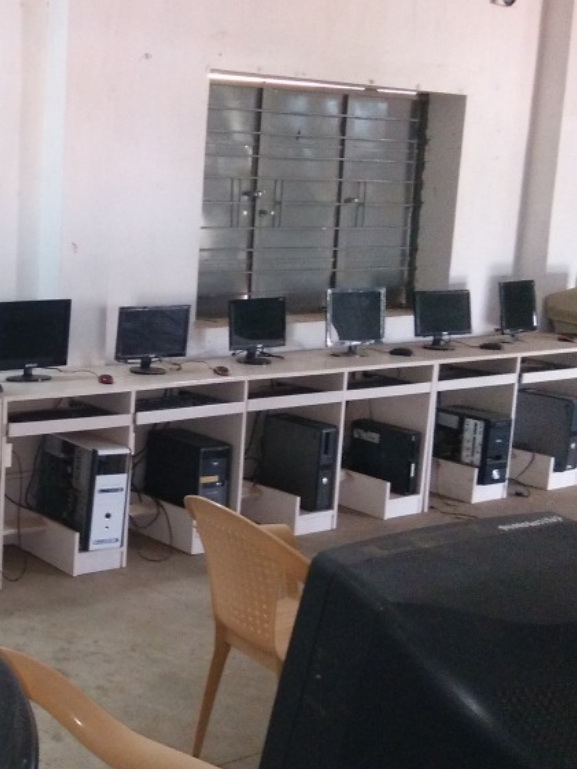
Computer Laboratory
In today’s digital age, proficiency in computer technology is an essential skill for every educator. At TVM College of Education, our Computer Laboratory serves as a vital platform for students to build strong ICT (Information and Communication Technology) capabilities and integrate technology into teaching and learning. Our lab is more than just a room with machines—it is a learning environment that inspires innovation, research, and real-world application of educational technology tools.
Lab Infrastructure and Setup
Equipped with modern, high-speed computers with latest configurations to support multimedia, programming, and internet-based applications.
Systems are installed with licensed software and educational tools relevant to B.Ed. and M.Ed. courses.
Systems are installed with licensed software and educational tools relevant to B.Ed. and M.Ed. courses.
Internet access is provided to enable students to use online resources, e-books, e-journals, and video tutorials.
The lab is connected to a central UPS and generator backup to ensure uninterrupted usage during power fluctuations.
Laboratory Divisions and Focus Areas
To support the academic curriculum and subject-specific training, the Computer Lab is categorized into multiple specialized labs
Operating System Laboratory - Hands-on practice on various platforms like Windows, Linux, and Ubuntu. Understanding file systems, OS commands, and GUI interfaces.
Compiler Design Laboratory - Basic compiler construction and code optimization. Students explore lexical analysis, parsing, and symbol table construction.
Database Management Systems (DBMS) Lab - Training on SQL, database creation, queries, and normalization. Real-time data handling using MS Access and MySQL.
Internet Programming Lab - Basics of web design using HTML, CSS, JavaScript, and PHP. Concepts of responsive design, form validation, and user interfaces.
Security Laboratory - Focuses on cyber safety, firewalls, and data encryption basics. Awareness of online threats and safe browsing habits for educators.
Computer Graphics Laboratory - Basics of multimedia presentation tools, image editing, and simple animations. Useful for creating teaching aids, e-content, and educational visuals.
Networks Laboratory - Understanding of LAN/WAN, IP addressing, protocols, and data transmission. Students learn how to create basic networks and troubleshoot connections.
Practical Application for Teaching
Students are trained to create digital teaching aids, slideshows, and lesson plans using PowerPoint, Canva, Prezi, and other tools. Projects include designing question papers, grade sheets, attendance systems, and school time-tables using Excel. Exposure to Open Educational Resources (OER) and e-learning platforms like SWAYAM, NROER, DIKSHA, and NCERT portals.
Support for M.Ed. Scholars
The lab provides research support for M.Ed. students working on dissertations and field studies. Access to statistical analysis tools like SPSS, R, and Excel for data interpretation. Guidance in creating digital questionnaires, Google Forms, and online survey tools.
Safety, Maintenance, and Supervision
Lab sessions are conducted under the supervision of qualified instructors and lab technicians. Proper maintenance of systems and regular updates ensure smooth functionality. Anti-virus and security firewalls are in place to ensure data safety and protect systems.